

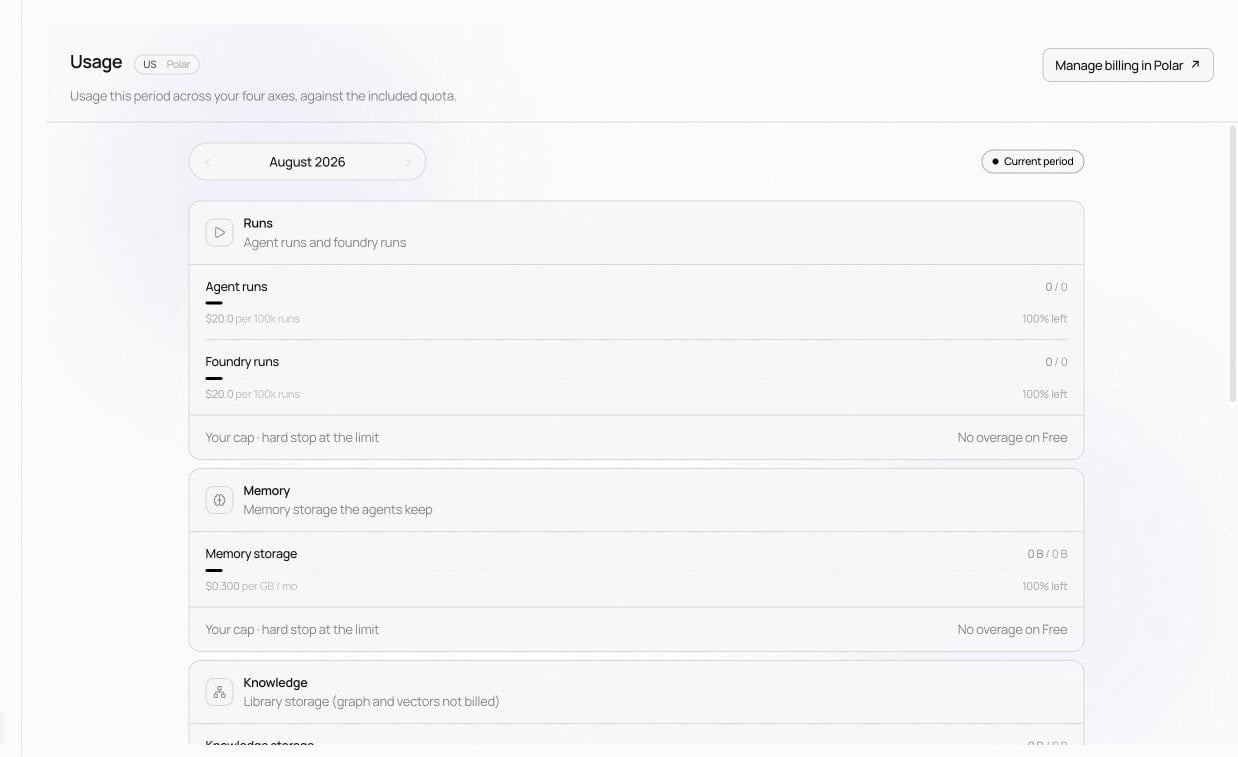
The four axes
- Runs — agent runs plus foundry runs.
- Memory — storage the agents accumulate, in GB·month.
- Knowledge — library storage. Knowledge-graph and vector operations are not billed.
- Verify & improve — tokens used by the loop’s own model. Failure analysis, simulation, and improvement run on this budget; improvement itself is free of charge.
Cost alert thresholds
Owners get an email when the cycle’s spend crosses each threshold: 50%, 80%, 100% of the monthly ceiling by default. Enter your own as comma-separated percentages (1–100) and Save thresholds. Alerts go to the account email, so email verification must be completed for them to arrive; the page offers Resend verification if yours isn’t.License terms
The License header on the page shows the contract’s term, seat count, contract currency, and monthly ceiling. Statements are always denominated in USD (the rate card is USD); the contract currency is recorded alongside so the finance team converts at the rate the contract specifies when raising the KRW / EUR / … invoice. Existing workspaces from before the enterprise-only switch are grandfathered — their prior ceiling stays in place; contact us to lift it.Related
Invoices
The usage statements Nora issues at each cycle end.