

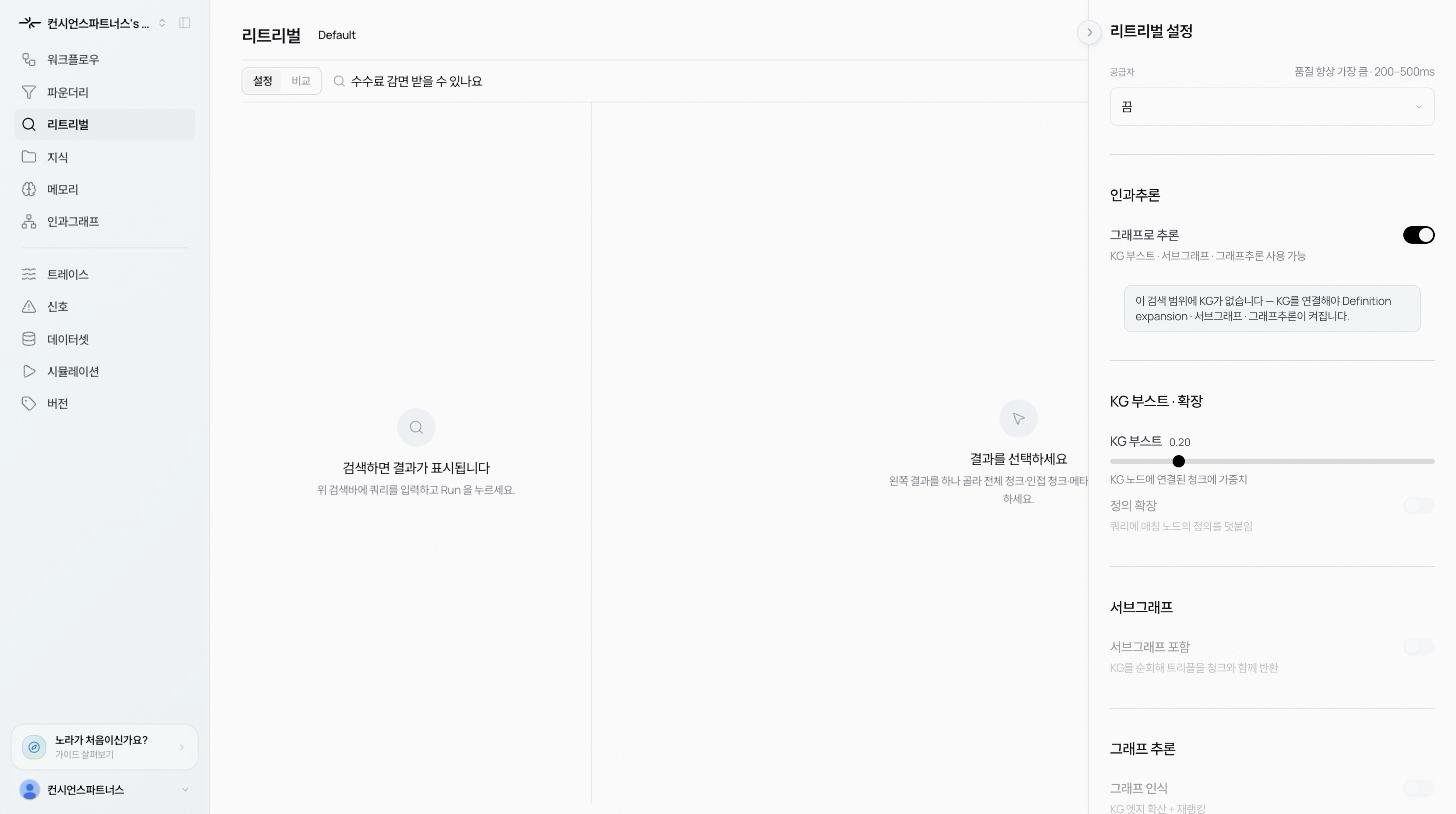
Prerequisite
A KG has to be attached to the Test scope. Without one, the dock shows: “No KG bound in scope. Bind a KG to unlock Definition expansion · Subgraph · Graph reasoning.” See Causal graph overview for how to build one.Options
KG boost
Adds weight to chunks attached to a KG node. Chunks carrying concepts the graph knows about surface ahead of chunks that are only surface-similar. Use the slider to dial the strength.Definition expansion
Appends the definitions of matched KG nodes to the query. When the query touches a graph concept, the concept’s definition goes into the search as well to improve recall.Subgraph
Walks the KG and returns triples alongside the chunks. The Agent gets not just the chunk text but also the relationships between concepts. Turning it on reveals two fields:- Depth: BFS hops from the seed node.
- Max triples: cap on returned triples (roughly tokens / 25).
Graph-aware
Spread relevance across KG edges, then rerank. The graph’s connectivity broadens which chunks are considered relevant and re-scores the ranking. Turning it on reveals three fields:- Hops: how far to spread along the graph.
- Graph weight: balance between ontology proximity and raw similarity.
- Expand budget: cap on extra chunks pulled in via graph reachability.
KG-rooted search
You can also flip the search method itself to KG-rooted. Instead of vector or keyword, candidates come from walking the graph. Well suited to multi-hop questions that bridge several concepts.Linking chunks to the KG
If a chunk isn’t linked to a KG node, the result detail shows an Index-only hit notice. Answers based on that chunk rely purely on raw vector similarity. Wire it up via the pipeline’s KG output, or run auto-link from Lifecycle to make it KG-grounded.When to skip
- No causal graph. Light Q&A rarely needs one.
- Data that’s opinion or unstructured commentary where “correctness” doesn’t apply.
- Every millisecond counts. Going through the graph adds latency.