

What a preset holds
Every knob in the retrieval settings dock is part of the preset.- Models: HyDE chat model, embedding model
- Search: method (vector · keyword · hybrid · KG-rooted), Top k (default 8)
- Query: HyDE on/off
- Ranking: vector/keyword weights, fusion (Weighted/RRF), minimum similarity
- Rerank: provider (off · Cohere · Jina)
- Causal reasoning: Reason over the graph plus its sub-options
Creating a preset
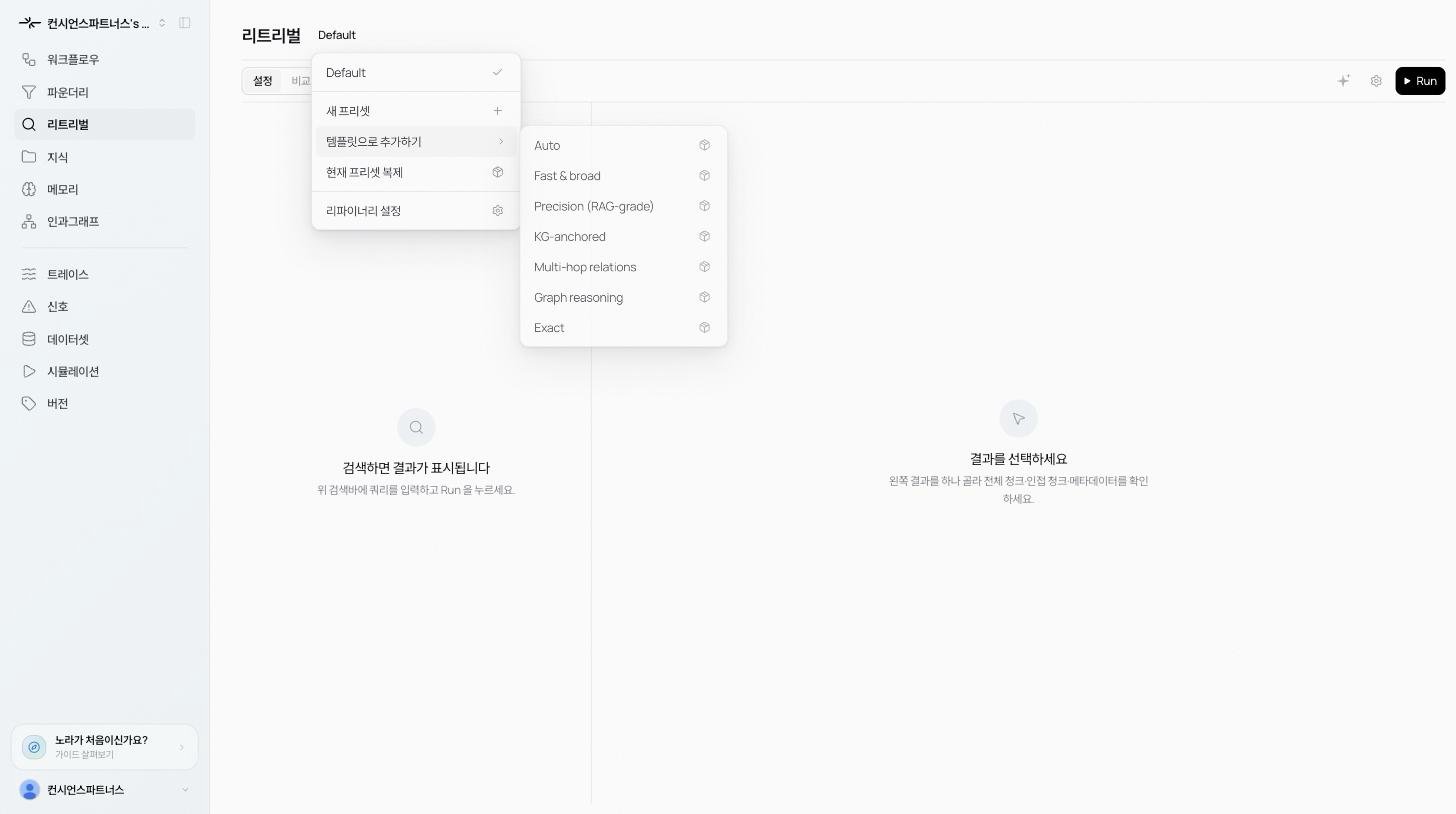
Click the preset chip next to the title. The menu offers:- New preset: start blank.
- Duplicate current: copy the active preset to fork a variant.
- From starter preset: start from a purpose-built template.
- Refinery settings: open the retrieval settings dock.
Starter templates
Seven built-in templates cover the common shapes. Create a preset from one and tweak only what you need.- Auto
- Fast & broad
- Precision (RAG-grade)
- KG-anchored
- Multi-hop relations
- Graph reasoning
- Exact
Testing presets side by side
Flip the top toggle to Compare mode.- Single query: pick up to 4 presets and run one query against each. Ranked results appear side by side. Useful for judging fast-but-fuzzy vs. slow-but-precise on real output.
- Eval set: run a saved batch of queries at once. See Diagnostics.