

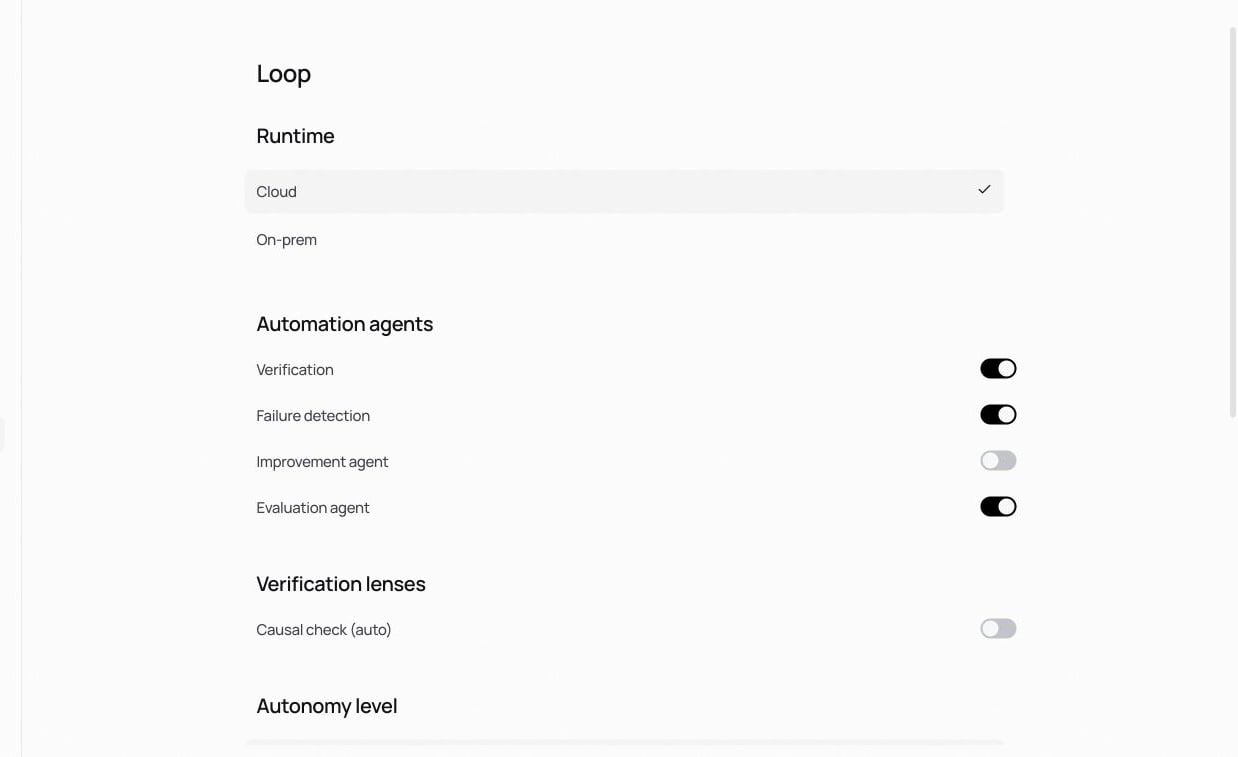
Runtime
- Cloud: the loop runs on Nora’s infrastructure.
- On-premises: the loop’s own model calls route to an endpoint you registered under Internal resources.
Automation agents
Toggle each of the loop’s agents individually:- Verification: verifies runs automatically.
- Failure detection: detects failing patterns and raises signals.
- Improvement agent: proposes fixes for confirmed problems.
- Evaluation agent: scores candidates against your evaluation criteria.
Autonomy level
How much the loop does without a human in the loop. Level 3 and Level 4 are selectable today; Level 4.5 and Level 5 are marked upcoming. Higher levels hand more of the detect → propose → validate cycle to the loop.Budgets
- Max spend per run: a single loop run stops at this spend (default $10).
- Sweep budget: total spend per sweep (default $10).
- Timeout: per sweep (default 10 minutes).
- Cases per candidate: how many dataset cases each candidate is evaluated on (default 6).
Related
Verify and publish
Verify and publish the loop’s candidates.
Simulation
The sweeps these budgets bound.
Usage
Loop model tokens are metered on the verify & improve axis.