

Redact
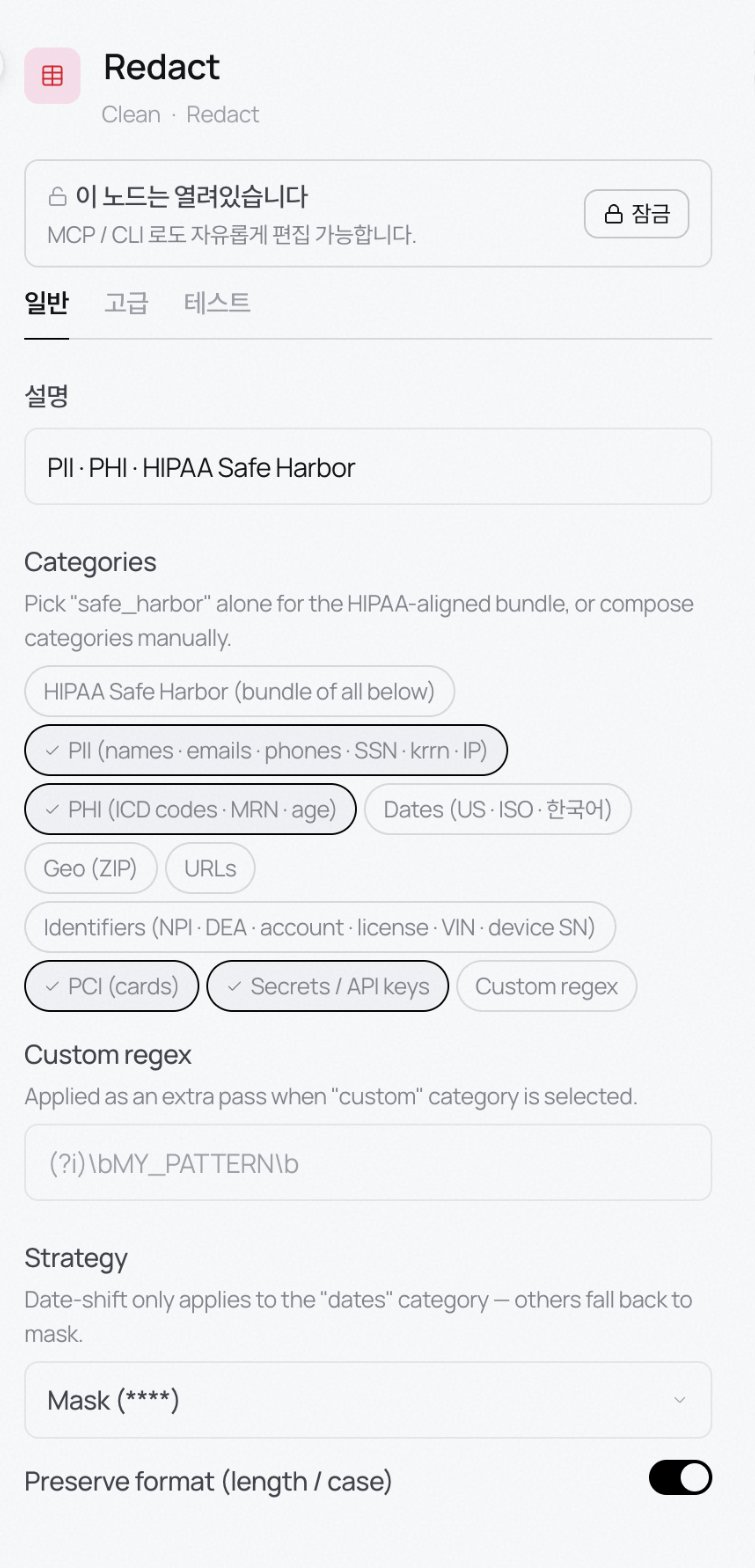
Find sensitive content and mask it. Pick what to catch with category chips.- HIPAA Safe Harbor: a bundle covering the categories below. If it’s medical data, start with this.
- PII: names, emails, phone numbers, SSN, Korean RRN, IPs.
- PHI: ICD codes, MRN, ages.
- Dates: US · ISO · Korean date formats.
- Geo: postal codes · URLs.
- Identifiers: NPI, DEA, account numbers, license numbers, VIN, device serials.
- PCI: card numbers · Secrets / API keys: tokens and API keys.
- Custom regex: your own patterns. Turn the custom category on to apply them as an extra pass.
****); date-shift applies to Dates only. Preserve format keeps length and case so downstream code that’s picky about format doesn’t break.
Anonymize
Instead of erasing, transform values so they can’t be re-identified.- Method: k-anonymity (group rare values), deterministic hash, etc.
- k: for k-anonymity, the combination of quasi-identifiers must appear in at least k rows to pass.
Normalise values
Even out characters and formats that trip up Korean documents especially. Suspect this stage first when keyword search fails on legal / policy documents.- NFKC normalisation: compatibility characters to standard form (①→1, ㈜→(주), ABC→ABC).
- Hangul enclosed → plain: ㉠→가, ㉡→나. Unpacks outline markers in policy and regulation text.
- Roman numerals → Arabic: Ⅰ→1, Ⅱ→2. Off by default so genuine Roman numerals aren’t rewritten by accident.
- Smart quotes → ASCII: stabilises regex and parsing.
- Collapse whitespace: repeated spaces and tabs collapse to one. Newlines are kept.
- Apply to: dates, amounts, phone numbers, currencies, addresses, case. Locale auto-detects by default.