

nora pipelines) can kick off a run anytime.
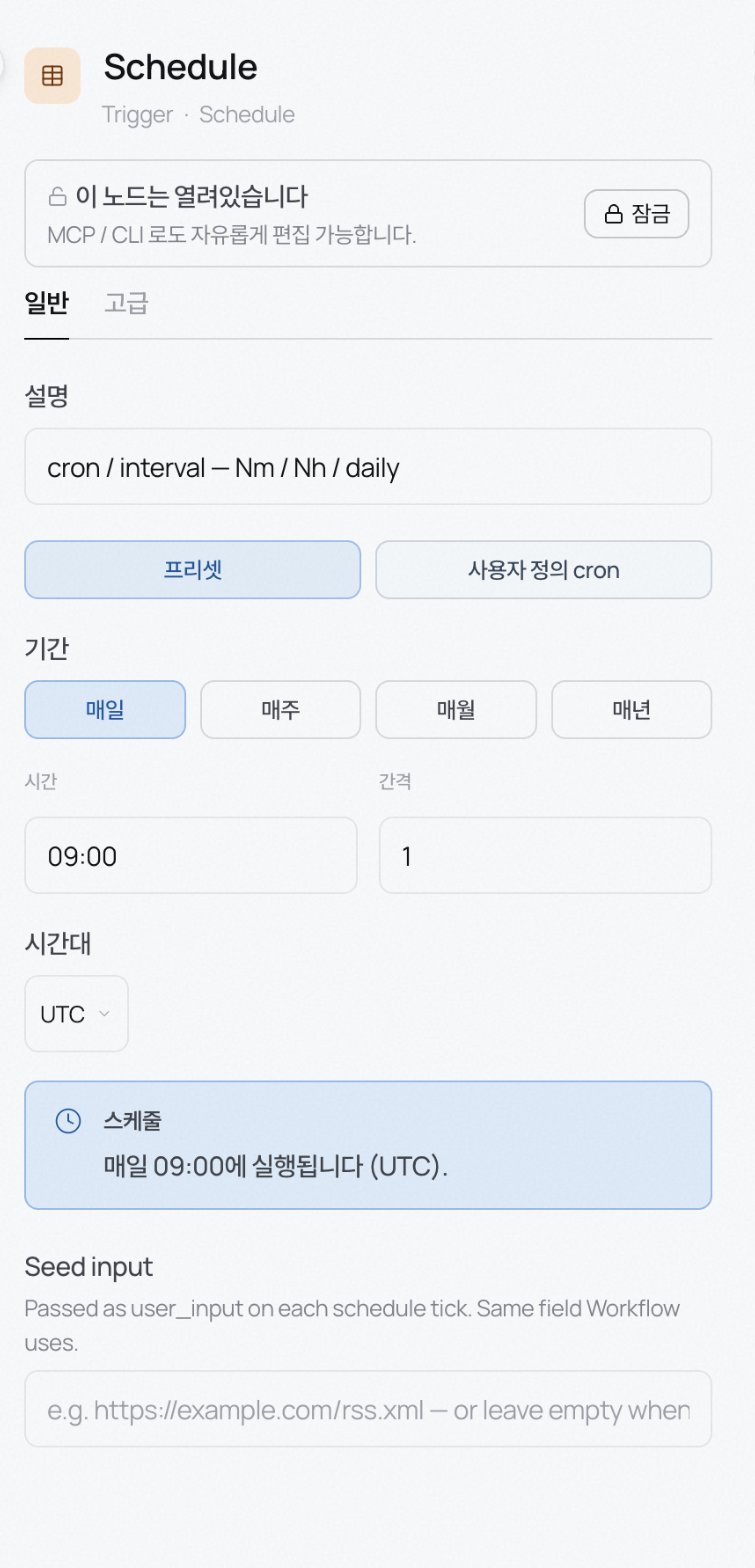
Schedule
Runs at set times.- Preset: pick from daily / weekly / monthly / yearly, then time and interval.
- Custom cron: write a 5-field cron.
0 9 * * 1is every Monday at 09:00. - Timezone: defaults to UTC. Switch to Asia/Seoul for Korea time.
user_input on every run. Same field as in Workflow. Use it for per-run inputs like an RSS URL.
Watch
Watches a connected source and runs when something changes. Good for keeping knowledge in sync with a folder as new documents land.- Trigger on: New file, New or modified file, or Any change (including deletes).
- Debounce: default 5 seconds. If several files arrive at once, they’re batched into a single run instead of one run per file.
Webhook
Turns the refinery into an HTTP endpoint. Any system that can POST JSON can trigger a run. Handy when your CMS, ticketing, or CI already produces webhooks.- Endpoint: the POST URL built from the webhook slug. Copy from the inspector.
- Auth: header-token style. Default header is
X-Webhook-Token; hit [Generate token] to have the server mint a random token. Send it on that header when calling. - Body mapping: after the first POST arrives, hit [Refresh] to see the body. Click fields to map them to input, image, audio, Thread ID, or User ID.
API
For calling from your own code. Where Webhook receives events from external systems, API is where your service directly invokes the refinery.- Endpoint: POST to
…/api/v1/<workspace>/foundry/<slug>. - Body:
input(object),variables(object),idempotency_key(string). - Auth: header token, default header
Authorization. Token generation is the same as Webhook.
Trigger kinds and graph rules
Trigger nodes split into two families, and each family drives different graph requirements.- Payload triggers (Webhook · API): the caller hands the body in, so the trigger is the input. No Source node needed and no Output node needed either; the result is returned inline in the response body. Right for validation / notification / compute pipelines that just calculate a value and hand it back.
- Signal triggers (Schedule · Watch): these only say when, so a Source node has to read the real data. Saving without a Source errors out, and because the run has to persist somewhere, at least one Output node is required too.