

Decisions
Decisions
Track and analyze the decision-making processes of LLM agents to evaluate risk levels.
Overview
The Decision page allows you to monitor and analyze decisions made by LLM agents. Each Decision records the choice an agent made among multiple options and the process behind it. Decisions include information such as Signals, Options, and Selected Option, and the Risk Score allows you to quantitatively evaluate the risk level of each decision. This feature helps you understand agent decision-making patterns and identify potential issues or risks early.
Viewing Decisions
You can view summary information for each Decision in the list and analyze the complete decision-making process on the detail page.
Decision List
The Decision list table displays the following information:
Agent: Name of the agent that made the Decision
Signals: Signals that influenced the Decision
Options: Options considered by the agent
Selected Option: The option ultimately selected
Risk Score: Risk score of the Decision
Trace ID: Related Trace ID (click to navigate to the trace detail page)
Clicking a Decision row opens a right panel showing detailed information.
You can also add a selected Decision to an Annotation Queue for human evaluation.
Select Traces
Use the checkboxes to select traces you want to add to the queue.Click Create Annotation Queue Button
Click New → Create Annotation Queue in the top header.Enter Queue Information

Enter the Queue Name (required) and a description.
The queue name should clearly indicate the purpose of the evaluation
(e.g., Hallucination Check).Select Score Config (optional)
Choose the Score Config(s) to be used for the evaluation. Multiple selections are allowed, and this step is optional.
Score Configs can be created and edited on the Score Configs tab of the project settings page.Complete Creation
Click the Create button to add the selected traces to the queue and navigate to the Human Annotation page.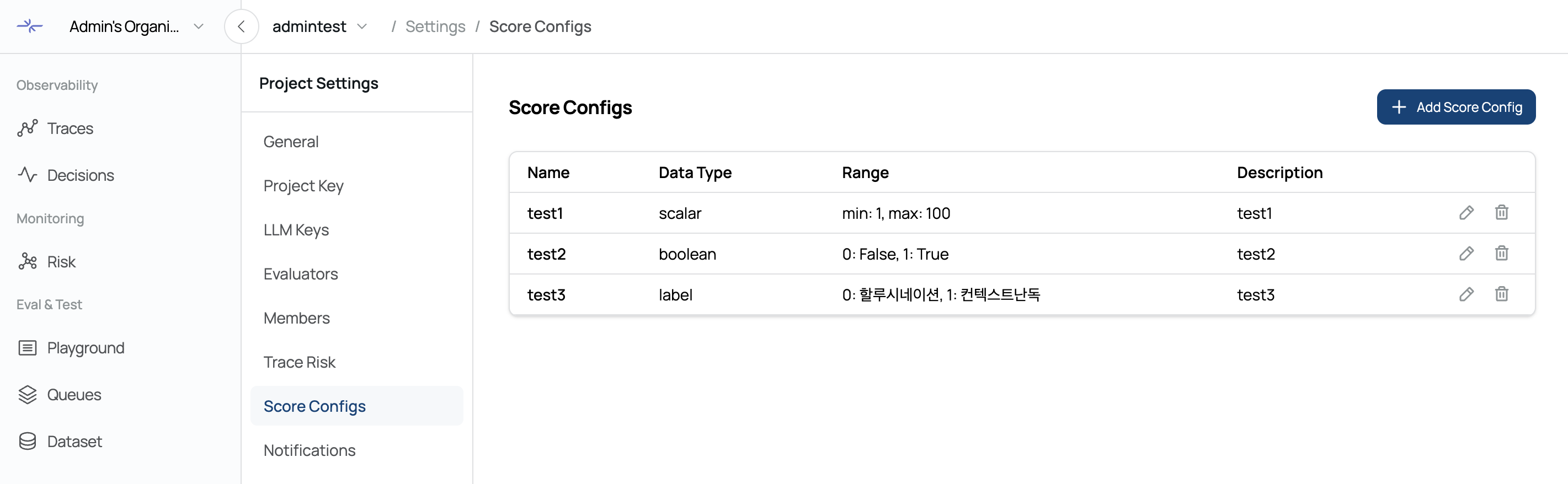
The created queue can be viewed and managed on the Annotation page, and the Process Queue feature allows you to evaluate traces one by one.
Decision Detail
The Decision detail panel provides the following information:
Selected Option
The option ultimately selected by the agent. You can view the content and score of each option.Options
A list of all options considered by the agent, including unselected options, to understand the full decision-making process.Signals
Signals that influenced the decision. You can view the name and value of each signal to understand the basis for the decision.Review Priority
The review priority. Higher scores indicate decisions that should be checked first.
Filtering
Decisions can be filtered by various conditions to view only the data you need.
Advanced Filters
More detailed filtering is available in the right-side filter panel:Signal: Filter by specific signals
Span Kind: Filter by span kind
Review Priority: View decisions within a desired range of review priority
The filter panel can be opened and closed by clicking the filter icon in the header.
Search
You can search Decision content using the top search bar. Entering a search term filters results in real-time.
Sorting and Pagination
Features to efficiently navigate the Decision list:
Default sorting is by creation time in descending order
Use the pagination controls at the bottom to navigate pages
Adjust page size to change the number of Decisions displayed at once
Was this page helpful?