

Playground
You can create and manage prompts to quickly define and test LLM behavior.
Prompts can be directly integrated into your application through the SDK, and the same prompts can be executed and iterated on in the UI.
This allows you to instantly validate prompt changes and test LLM responses under the same conditions used in production.
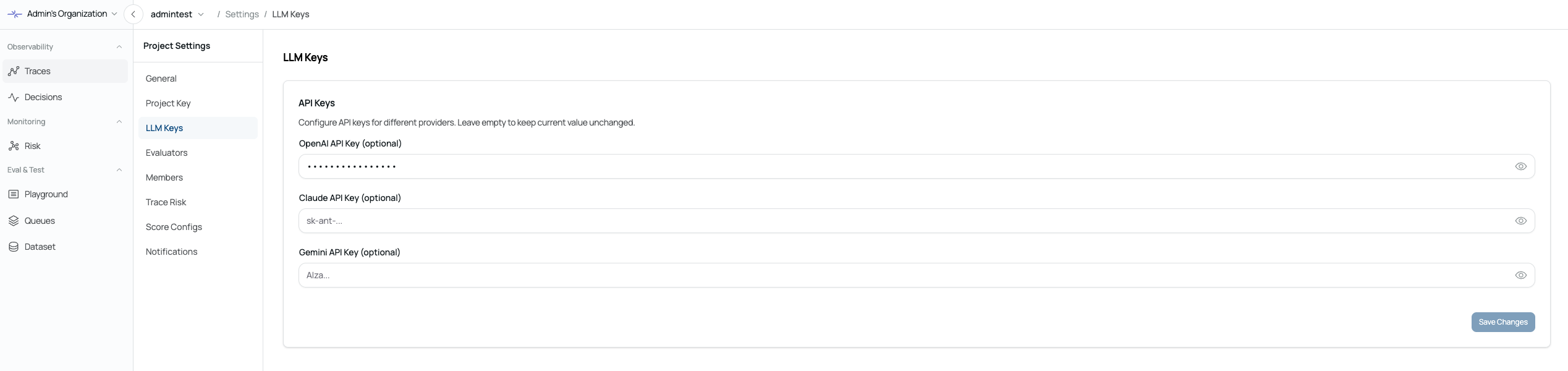
First, you need to enter your LLM API key.
If the API key has already been configured, you can start using it immediately.
Prompt Creation
The Prompt page allows you to easily create and manage prompts.
Before using prompts, you must configure the AI Model SDK to use on the Settings page.
Workflow
1. Create a Prompt
Click Create Prompt to create a new prompt.
2. Configure the Prompt
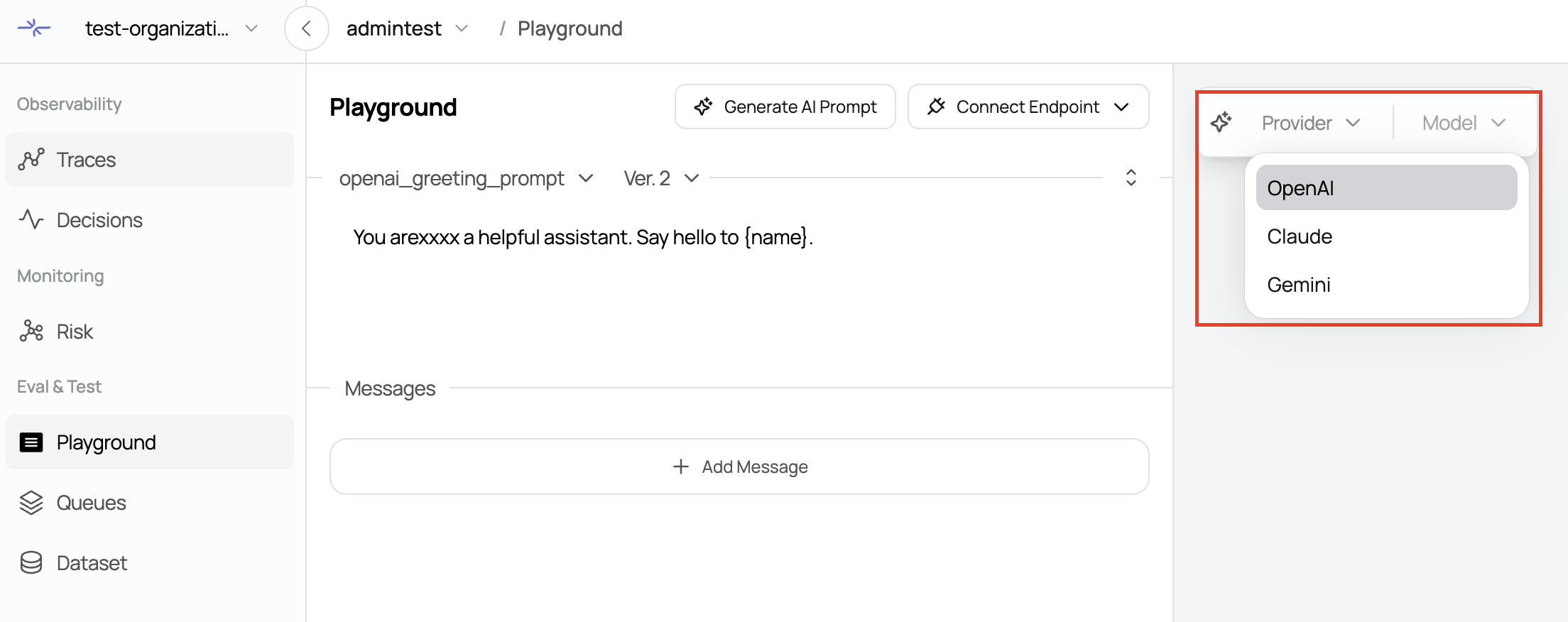
In the right-side Settings tab, configure the following:
Model
Version
Context
3. Generate the Prompt
Click the Generate button to generate a prompt based on the configured settings.
4. Test the Prompt
Test the prompt in real time using the conversational interface.
5. Version Management
After testing, click the Save icon to save the prompt and manage its versions.
6. SDK Integration
By setting a prompt as Default, it can be easily integrated and used with the SDK.
Features
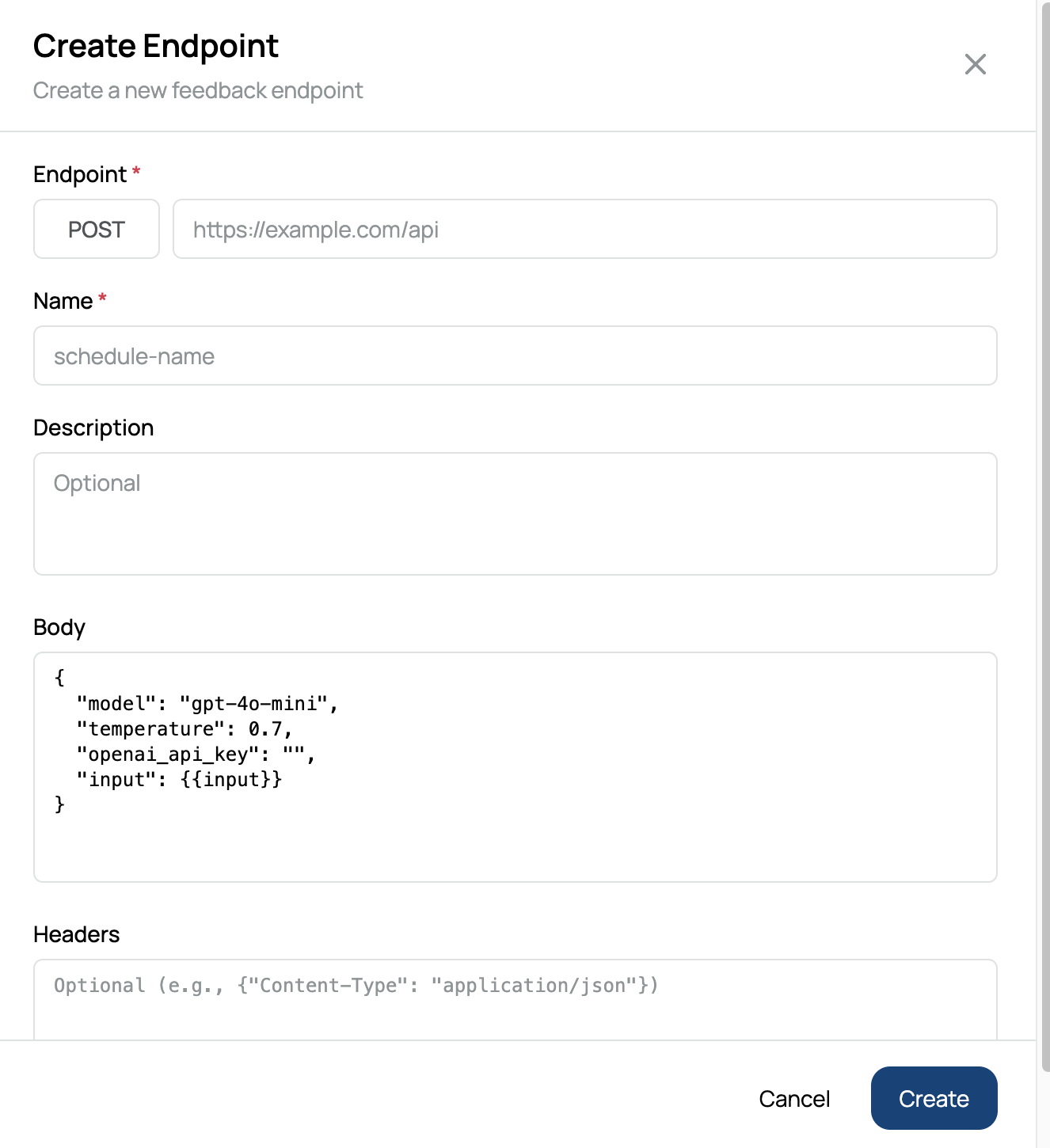
Endpoint Connection
Connect a real API endpoint used in your service for testing.
Conversational Testing
Send requests through a chat interface that mirrors real user interactions.
Input Binding
The
{{input}}value in the request body is automatically replaced with the user input entered in the chat view.
Was this page helpful?