

Queue
A Queue is a place where Human Evaluation or LLM Evaluation is performed.
Creating a Queue
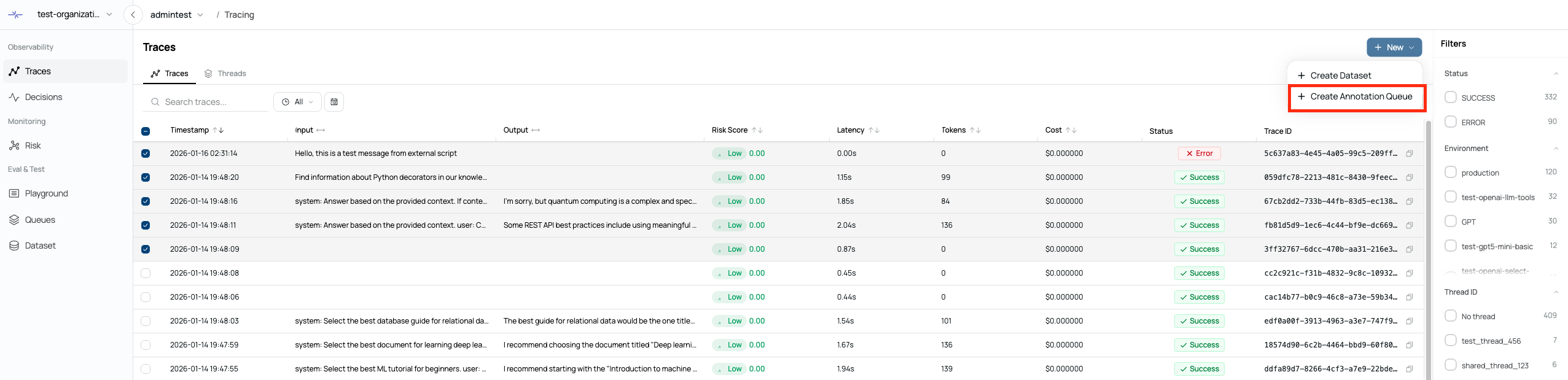
A Queue can be created based on generated traces or decisions.
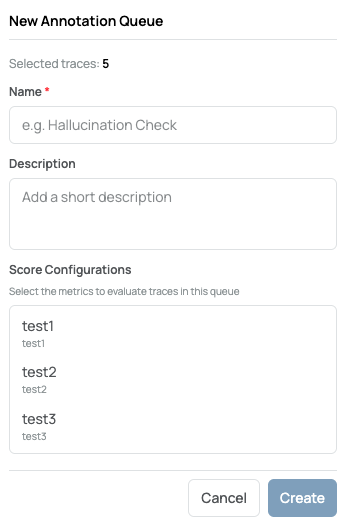
When creating a Queue, you must provide a queue name and description,
and select the Score Configuration to be used for evaluations in the Queue.
Score Configurations define the metrics used to evaluate traces and can be
configured in advance in the Settings tab.
Evaluation Types
Queues support the following two evaluation types:
Human Evaluation
LLM Evaluation
Each evaluation type can be used independently.
Evaluation Methods
Select the Queue you want to evaluate.
2-1. Human Evaluation

Click the desired trace or decision, then select Human Evaluation.
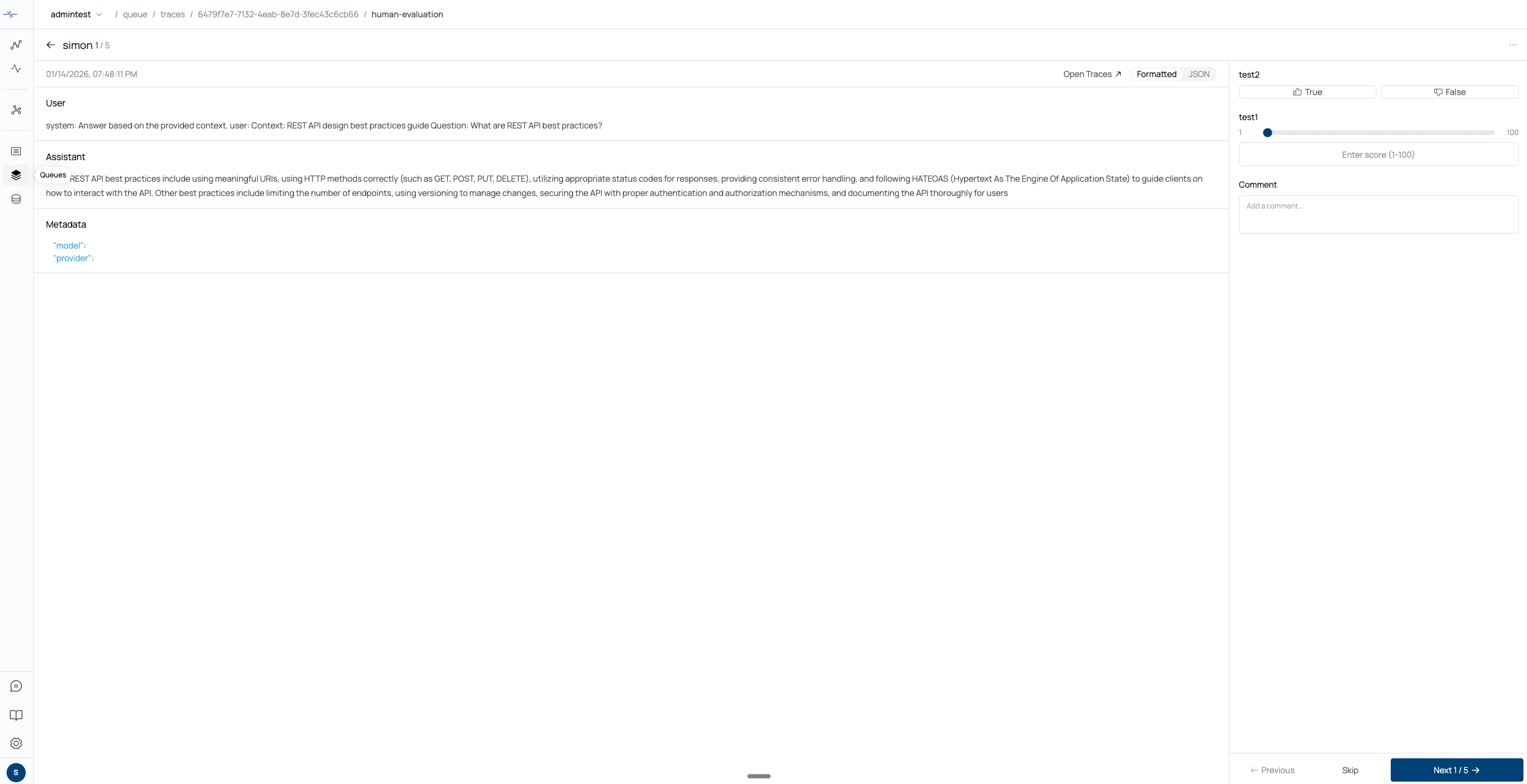
Using the predefined Score Configuration, a human evaluator can manually evaluate the selected trace or decision.
2-2. LLM Evaluation

Click the desired trace or decision, then select LLM Evaluation.
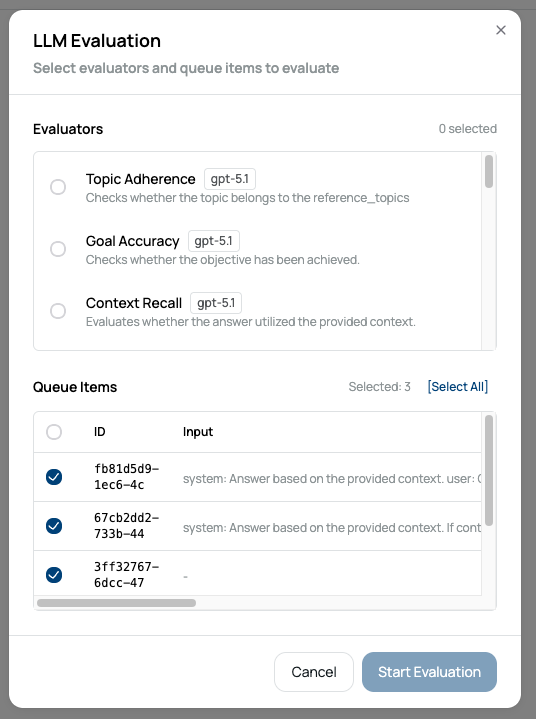
LLM evaluations are performed using the default provided Evaluator.
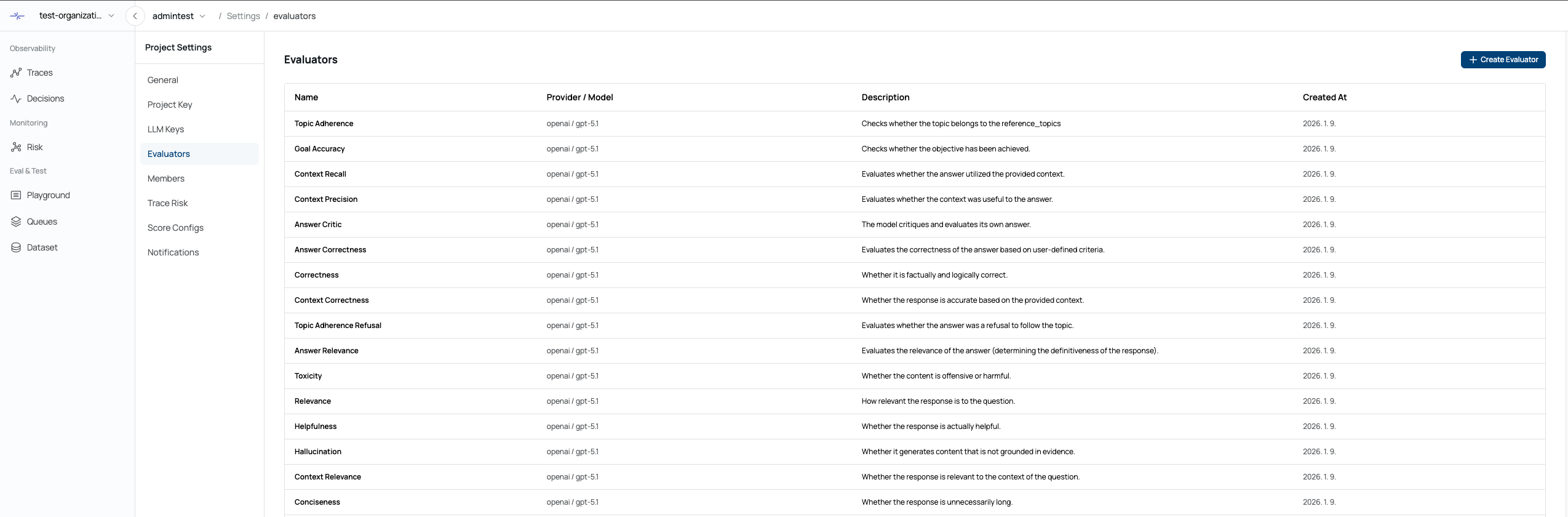
Additional LLM Evaluators can be added in Project Settings → Evaluators.
When using an LLM Evaluator, the required LLM Configuration is automatically created.
Was this page helpful?