

Manage Organization/Project
Create Organization
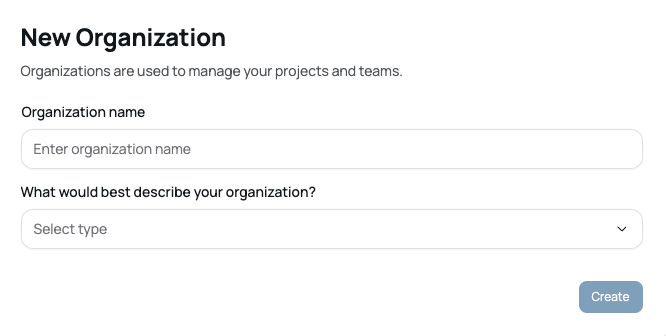
A new organization is used to manage your projects and teams. To create an organization, enter an organization name and select the option that best describes your organization.
Organization name: Enter your organization name.
What would best describe your organization?: Select the option that best represents your organization.
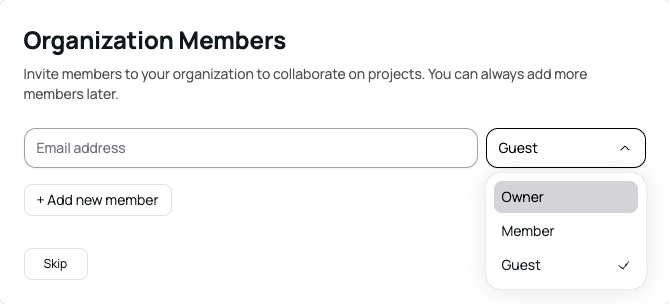
On the Organization Members page, you can invite members to collaborate on projects. Enter an email address to invite a member. The default role is set to Guest. You can always add more members later.
Email address: Enter the email address of the member you want to invite.
Add member: Send an invitation to the entered email address.
Skip: Skip this step and continue to the next step.
Different permissions are assigned based on the role in the organization.
Owner: Has permission to delete the organization and manage payments.
Member: Can create new projects and manage members.
Guest: Has access to basic features.
Create Project
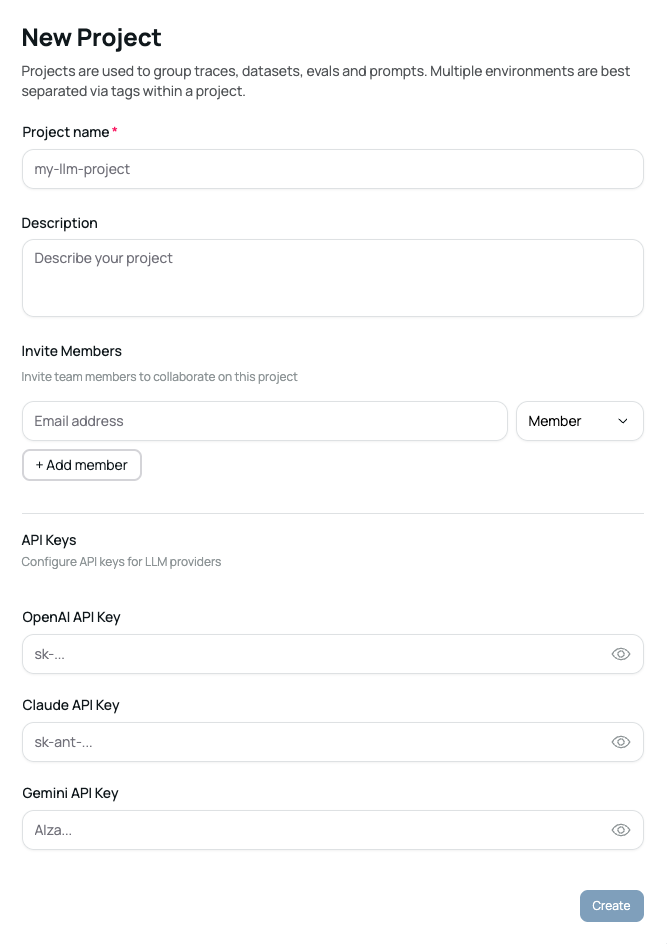
A new project is used to group traces, datasets, evals, and prompts. For multiple environments, it is recommended to separate them using tags within a single project. When creating a project, provide the following information:
Project name: Enter the project name.
Description: Add a brief description of the project.
Invite Members
You can invite team members to collaborate on this project.
Email address: Enter the email address of the team member you want to invite.
Member: The invited user will be assigned the Member role.
LLM API Keys
Configure API keys to use LLM providers.
OpenAI API Key: Enter your OpenAI API key.
Claude API Key: Enter your Anthropic Claude API key.
Gemini API Key: Enter your Google Gemini API key.
API keys are managed at the project level and can also be added or updated later in the project Settings page.

Project API Key
The Project API Key is used to connect the SDK.

Select a Project and navigate to the Settings page to view the API key.
Click View API Key and complete email verification to reveal the key.
A Project API Key is automatically generated when a project is created.
For security reasons, the API key cannot be added, deleted, or modified.
Use the Project API Key when connecting the SDK to Nora.
Delete Project
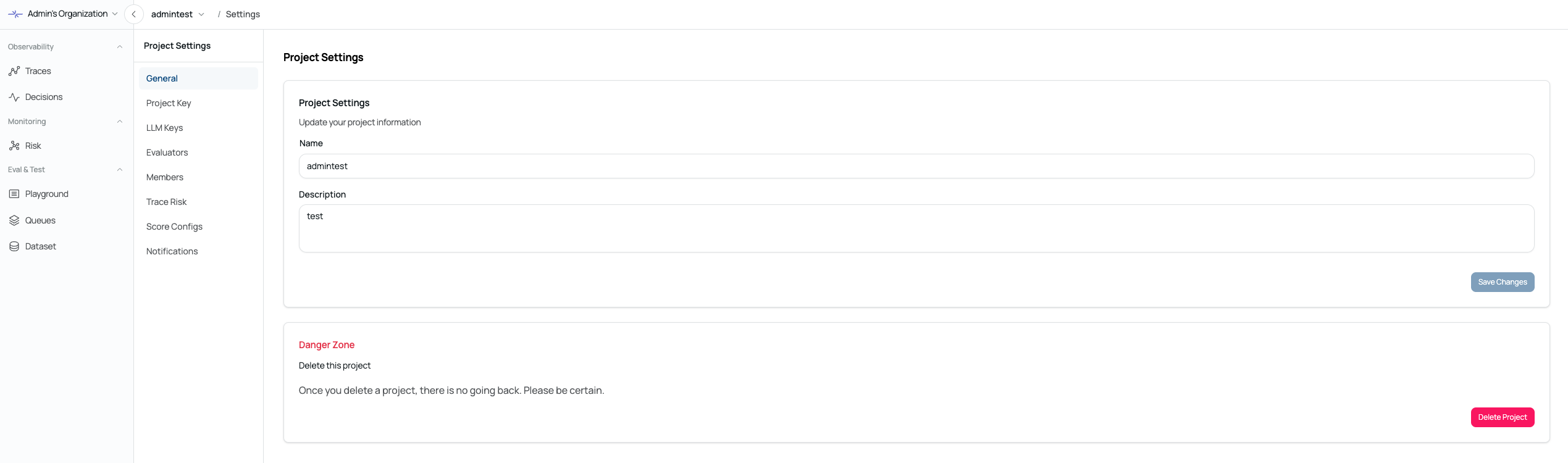
You can delete a project from the General tab in Project Settings. Only users with the Owner role can delete a project.
Was this page helpful?