

Risk
The Risk page provides functionality to systematically analyze and visualize risks that occur during LLM Traces and Decision processes. This allows you to quickly identify high-risk situations, understand recurring problem patterns, and improve the overall stability of your LLM applications.
Risks are automatically generated based on various elements that make up a Trace. By configuring Traces through the SDK, users can leverage risk analysis immediately without any additional setup.
Tip
When using the SDK, settingspan_typeappropriately (e.g.,rag,select) helps the system better interpret the decision-making flow, resulting in more accurate and insightful risk analysis.
Trace Tab
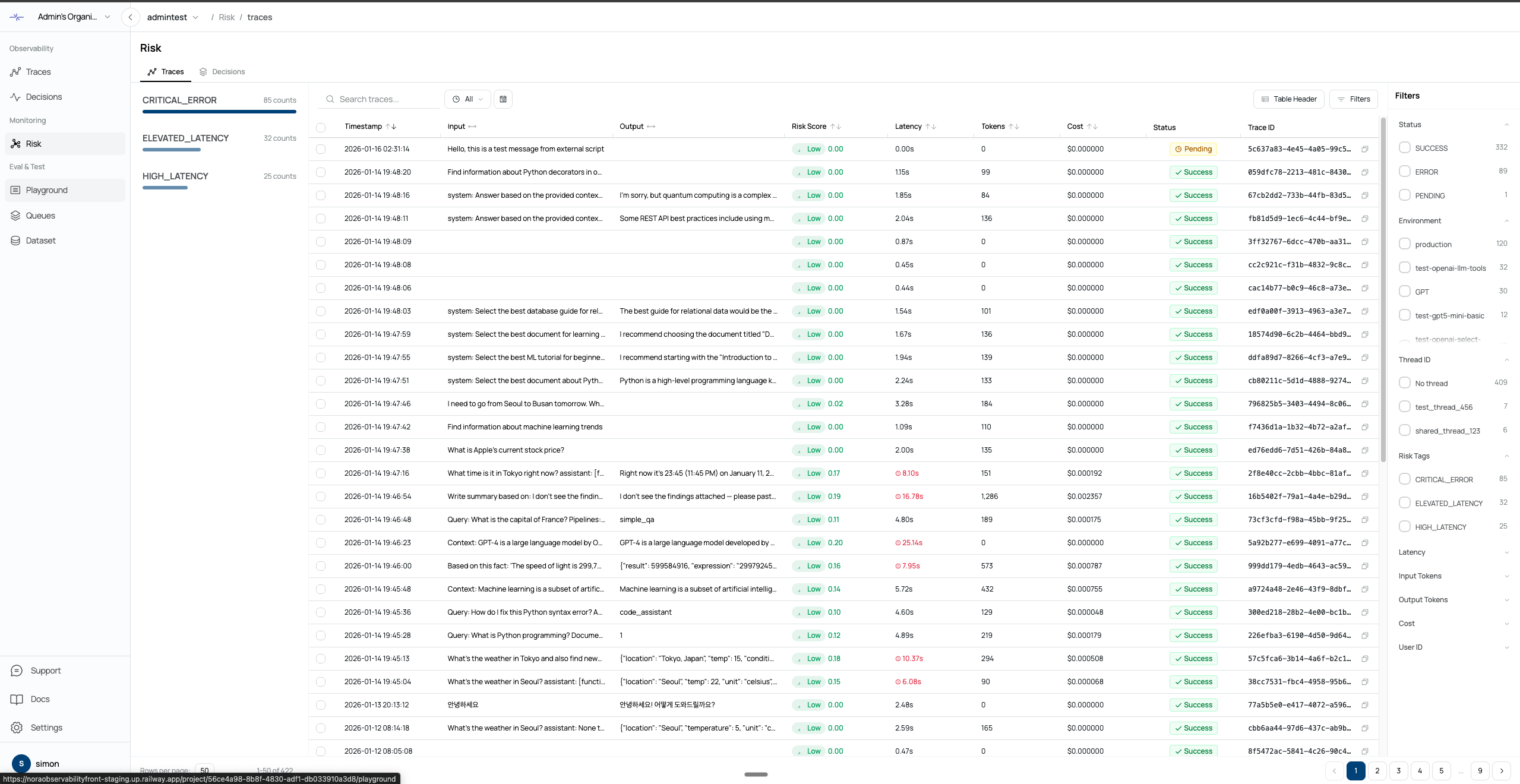
The Trace tab provides risk analysis at the Trace level. Each Trace can have one or more Risk Tags. You can filter Traces by Risk Tag to focus on specific types of risks. Trace-level risk scores help you quickly identify Traces with a high likelihood of issues.
Decision Tab
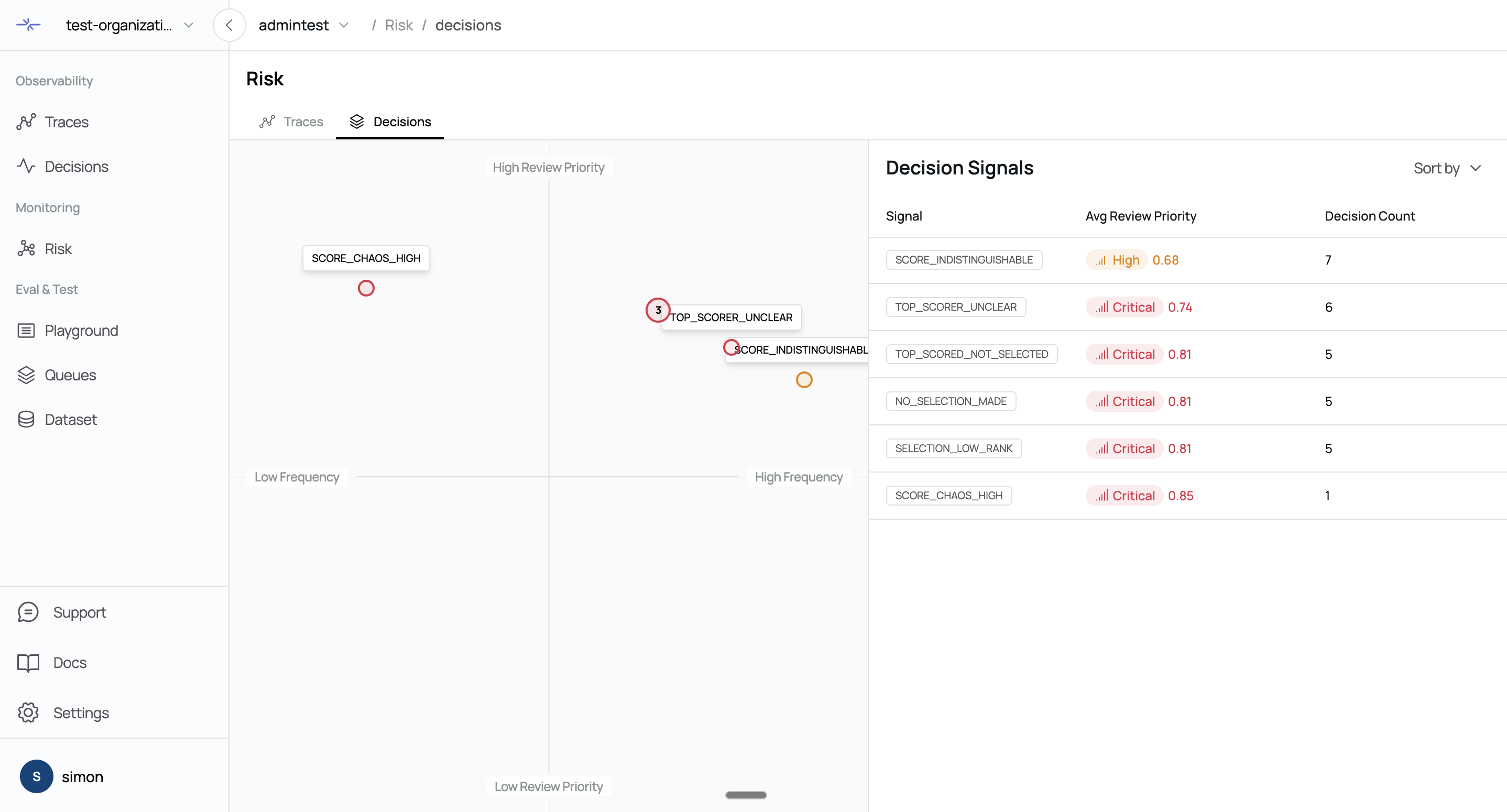
The Decision tab allows you to view Decision Signals generated during the Decision process.
Decision Signals are color-coded based on their risk level:
Red: 0.7 or higher
Yellow: 0.5 or higher
Green: below 0.5
Each Signal represents a potential risk that occurred during the agent’s decision-making process.
The page also provides quadrant analysis based on Review Priority and Frequency, allowing you to intuitively identify:
Decisions that require immediate review due to high risk and high frequency
Decisions with lower priority but significant cumulative impact
Rare but potentially critical Decisions
Clicking on a Decision Signal navigates you directly to the corresponding Decision detail page.
Was this page helpful?